Building catalogIT: The IT Catalog I'd Wanted for 15 Years
In every IT team I've ever worked in, the same questions came back around like clockwork:
How many services are we actually paying for? Which subscriptions renew next month? Where is that laptop? How much did we spend on this vendor last year? Did anyone catch that renewal before it auto-charged us?
It's an evergreen problem. The usual answer is a tool like SnipeIT for hardware, plus a scattering of Google Sheets and Excel files for everything else — one for subscriptions, one for budgets, one someone made in 2022 that nobody fully trusts anymore. It works, technically. But the truth never lives in one place, and the moment you need a clear answer fast, you're stitching it together by hand.
I've carried that frustration from job to job for years. What changed recently isn't the problem — it's what it costs to solve it.
Building in days, not months
A few years ago, building a polished internal tool that did all of this well would have been a multi-month project I'd never get budget or time for. Now, with AI in the loop, the math is different. Shipping a real, working app is a matter of days, not months. So I finally stopped complaining about the gap and built the thing.
I called it catalogIT — the IT service and hardware catalog I always wished I had, with all the features I could actually use. And I made it public.
What it actually does
The goal was to fold the whole mess into one app instead of five spreadsheets and a separate asset tool. catalogIT handles:
- Hardware tracking, made simple — where every device is, who has it, and what state it's in, without the ceremony.
- SaaS and subscription tracking — one source of truth for everything the org pays for.
- Cost control and budgeting — what you're spending, where, and how it trends over time.
- Renewal notifications — the part that quietly saves real money, by making sure nothing auto-renews behind your back.
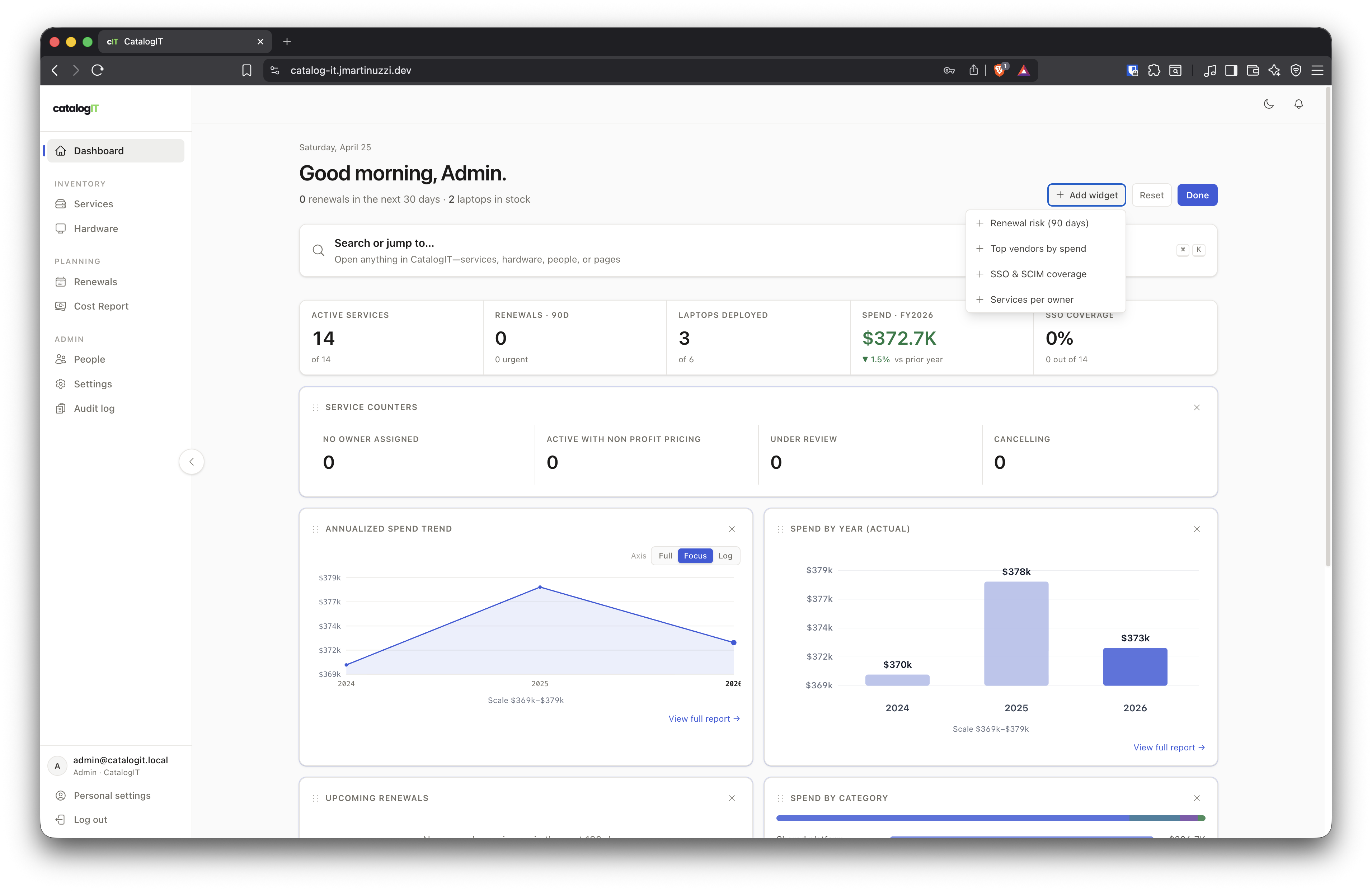
The dashboard pulls renewals, spend, and inventory into one view — no tab-hopping between tools.
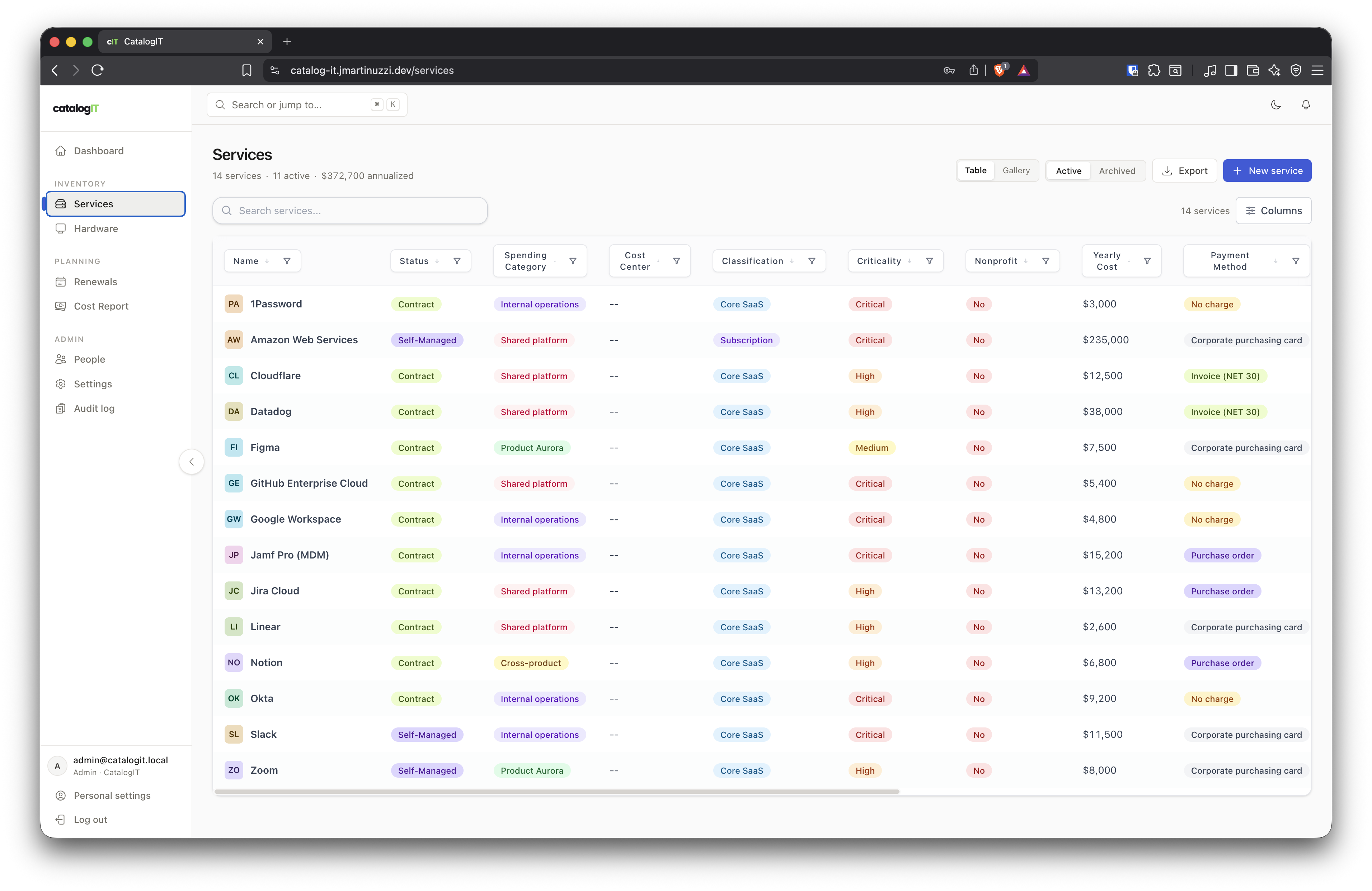
SaaS and subscriptions in one table: status, yearly cost, classification, and criticality at a glance.
Under the hood, it's built for an actual organization, not just a demo:
- OIDC for single sign-on, so it slots into your existing identity setup.
- SCIM for automated user provisioning and lifecycle.
- Slack and Gmail integrations, so alerts and notifications reach people where they already work.
- PDF attachments, for the contracts, invoices, and warranty docs that always need to live next to the thing they describe.
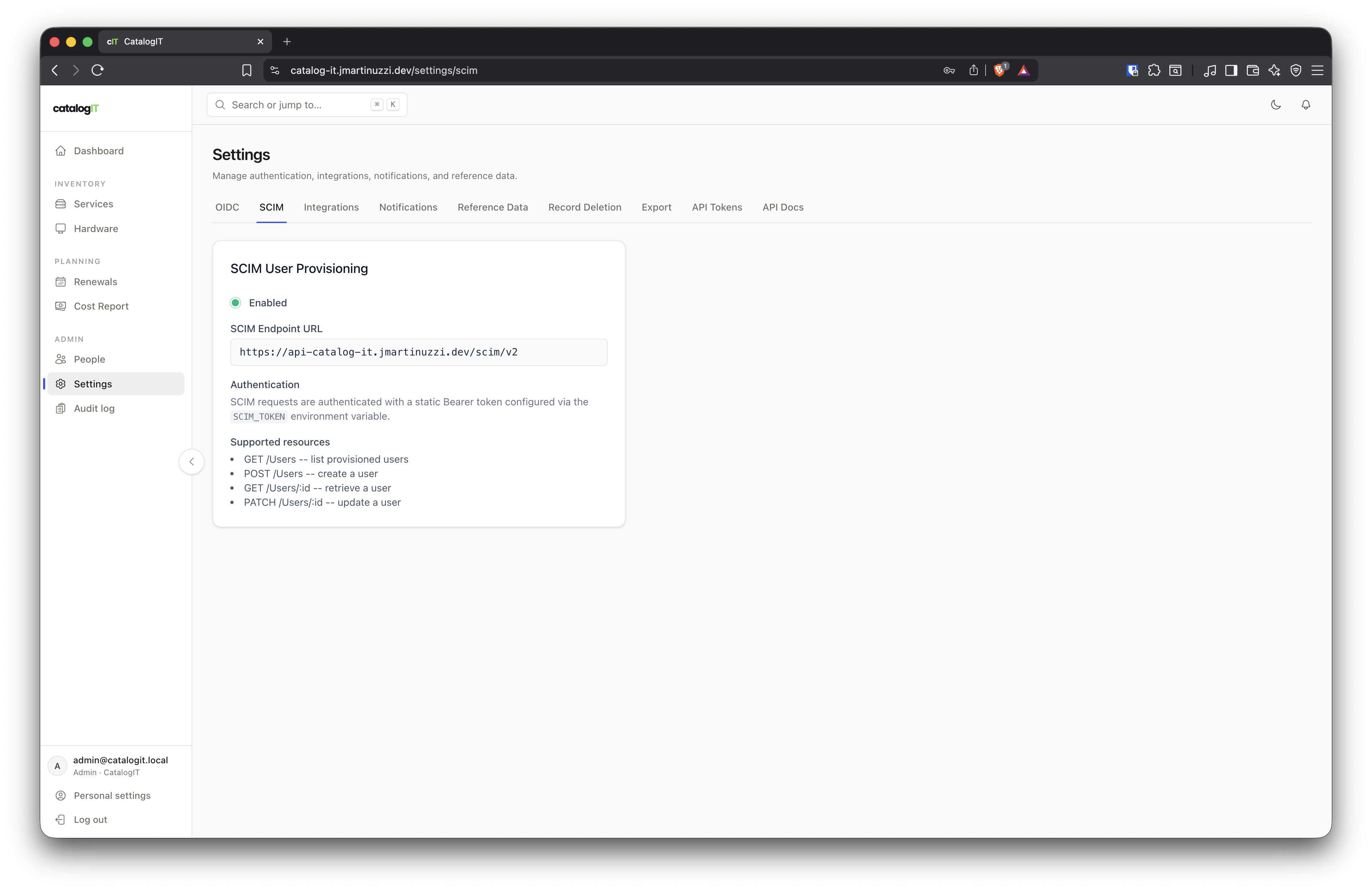
OIDC, SCIM, integrations, and notifications live in Settings — wired for a real IdP, not a demo login.
The one principle: simplicity
If there was a single rule guiding the whole build, it was this: keep it simple enough that non-IT people can use it too. Asset and cost tracking shouldn't require an admin to interpret it. Finance should be able to look at the spend. A manager should be able to see what their team has. The tool fails the moment it becomes another thing only IT understands.
That constraint shaped a lot of the decisions — fewer knobs, clearer screens, sensible defaults over endless configuration.
On replacing SnipeIT
I want to be fair here: SnipeIT is a genuinely good piece of software, and it solved this problem for a long time. But it's largely PHP, and lately it's started to feel its age for what I need. catalogIT isn't a knock on it — it's just what happens when you get to rebuild from scratch, in 2026, with modern tooling and a much lower cost of iteration.
It's not finished — and that's the point
There are things missing, for sure. I've got a long list of ideas I'm still working through. But it already solves most of my own problems and has replaced SnipeIT in my day-to-day, which was the bar I set for "good enough to ship."
If you want to poke at it, there's a live demo:
- Demo: catalog-it.jmartinuzzi.dev (password:
admindemo) - Source: github.com/jonymaster/catalogIT
I'd love feedback, feature ideas, or — even better — issues and PRs on GitHub. This is the kind of tool that gets sharper the more real-world use it sees, and I'm building it in the open precisely because the problem isn't mine alone.